
This is an old revision of the document!
Tutorial: Character Editing Cavats; Step 4.
Package and Test
Follow the same process from the introductory tutorial to package the Unreal project's cooked assets.
In this case, your “FinalPackaging” folder structure will look like this:
FinalPackaging
  BloodstainedRotN
    Content
      Core
        Character
          P0000
            Mesh
              SK_P10000.uasset
It should not contain any of the .uasset files that contain the materials, physics asset, or skeleton. Remove those.
Drag & Drop the “FinalPackaging” folder on top of “UnreakPak-Without-Compression.bat” to generate the .pak file. Rename it so it loads alphabetically after “packmod”. I named it “~MiriamBodyMod.pak”.
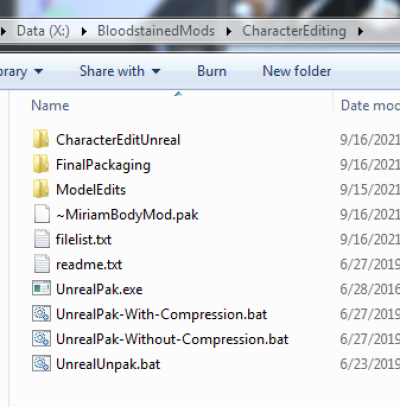
Copy your generated .pak file into the Bloodstained Ritual of the Night\BloodstainedRotN\Content\Paks folder. Run the game to test.